





Every claim has a receipt
It reads sources, keeps the evidence with the article and never invents quotes, results, customers or experience. Firsthand statements only from material you supplied.

AuthorFox plans, researches, writes and publishes articles for your site, with every claim traced to evidence and every publication exactly what you approved.
Your first 3 articles are free. No card needed.
It reads sources, keeps the evidence with the article and never invents quotes, results, customers or experience. Firsthand statements only from material you supplied.
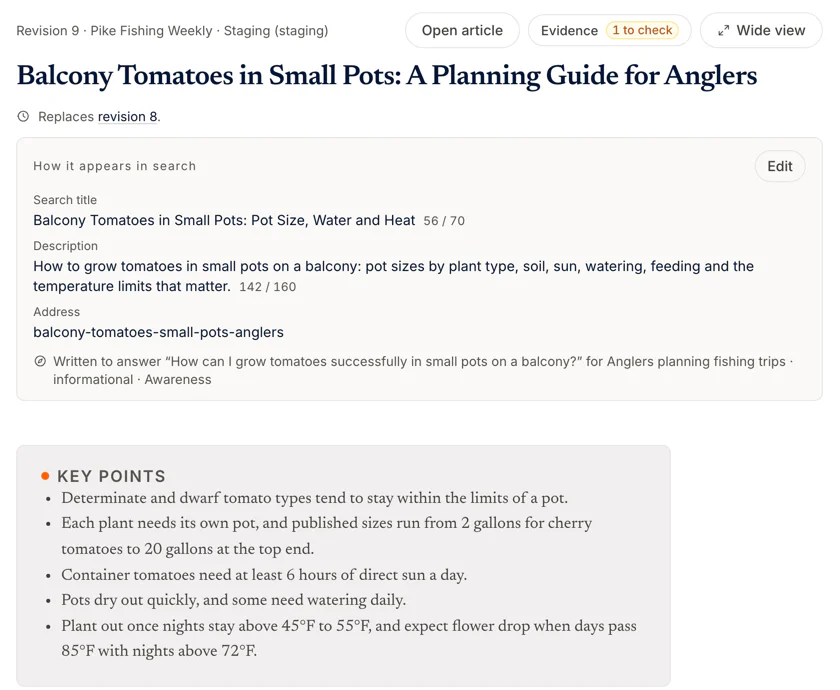


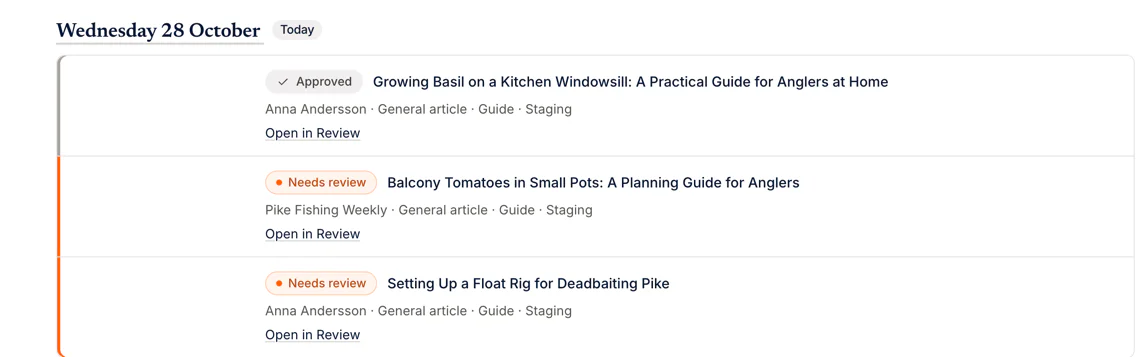
You see the article, its evidence and its findings in one place. What you approve is what gets published, to the exact revision; a change after approval needs your approval again.


A steady cadence without you doing the writing. Assisted by default: a person approves every article. More autonomy only when you say so, within caps you set.
This is AuthorFox as you use it, in real screens. You set it up once; after that the work comes to you to approve.
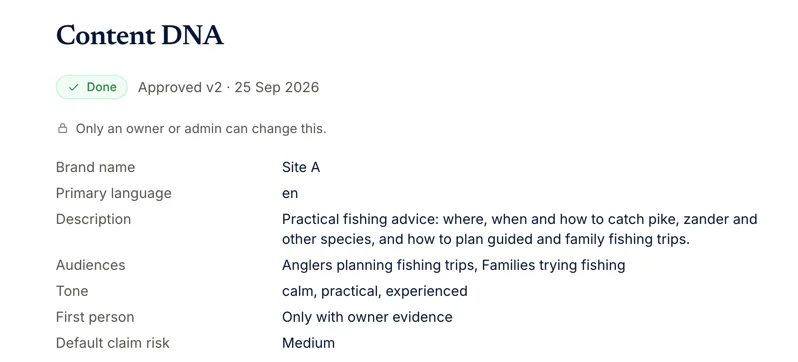
Connect your WordPress site or Shopify store: on WordPress you install the small AuthorFox Bridge plugin, on Shopify you approve the AuthorFox app and choose the blog. Then describe your site once in its Content DNA: who you write for, how you sound and what it may claim. Setup lists anything still missing before the first article can go live.
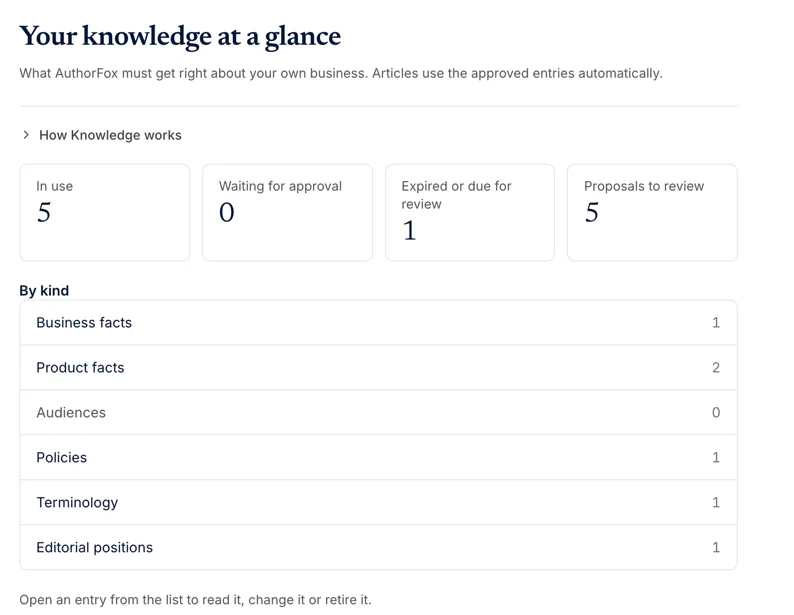
Add the facts AuthorFox must get right: products, prices, policies, the words you use. Paste text or send notes and stories to the source inbox; you approve each fact before an article may lean on it, and facts that expire come back to you for a check.
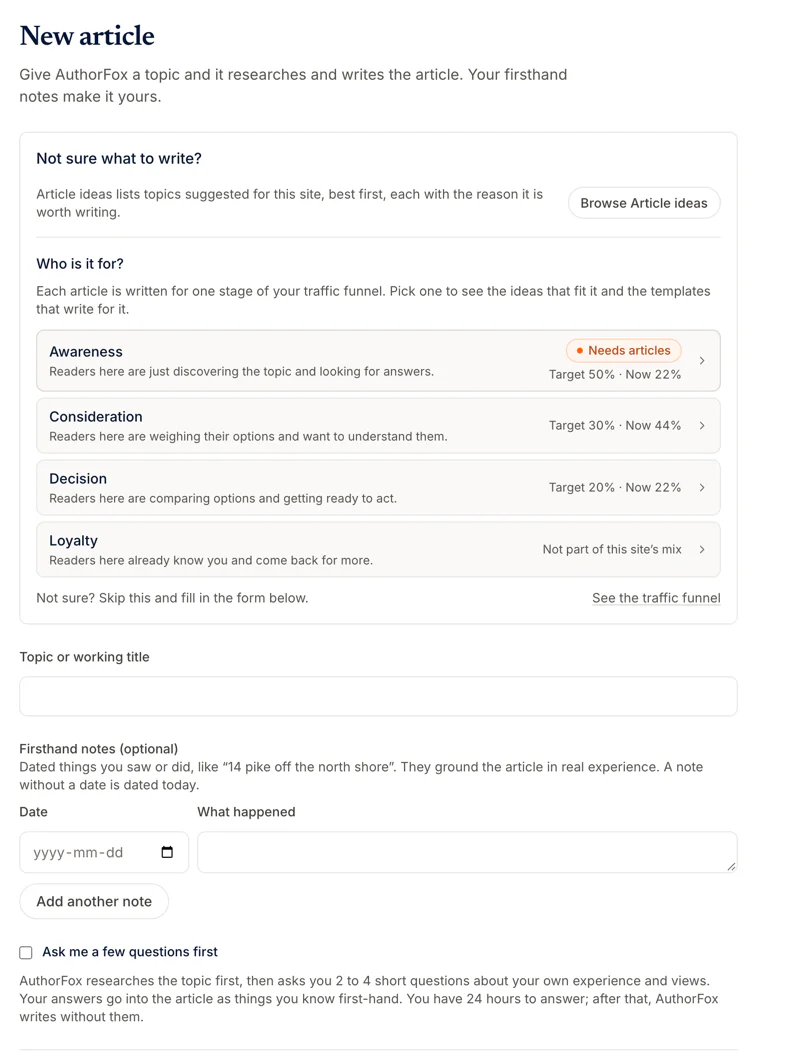
Give it a topic and say who the article is for, or choose from Article ideas, each with the reason it is worth writing. Add your own firsthand notes, or tick a box and it asks you two to four short questions before it writes.
Read the article with its evidence, then approve it for the next free slot, hold it or send it back with a note. Approved articles publish at the times you set, and the live page is checked afterwards before anything is called published.
Connect a Facebook Page and each week AuthorFox lays out a few posts: pointers to your new articles, tips in your voice, your own offers and seasonal greetings, each with a picture. Read the week, edit or skip a post, approve the rest in one go. Facebook posting is built and opens to customers’ Pages soon.
More about WordPress sites and Shopify stores.
Each plan writes a set number of articles a month and works with a set number of sites. Bring your whole team at no extra cost. Try it first with 3 free articles.
One site, about two articles a week.
$49 a month
or $490 a year, two months free
Up to three sites, or one busy one.
$129 a month
or $1,290 a year, two months free
Many sites: a portfolio, or clients.
$349 a month
or $3,490 a year, two months free

Not unless you say so. Every article waits for a person to approve it, and what you approve is exactly what goes live. If you trust it, you can switch on auto-review per site: an article then waits a set time for you before it publishes on its own.
It is built not to. It writes from sources it read and facts you approved, keeps the evidence with each claim, and never invents quotes, customers, results or experience. Anything firsthand comes only from notes or answers you gave it.
WordPress sites and Shopify stores today, and new platforms are added as they are needed. On WordPress you install the free bridge plugin and make a user for it; on Shopify you approve the app in your store and choose the blog. Setup checks the connection and lists anything still missing. A WordPress site can have a test copy connected as well as the live one.
You choose: a real person on your team with their own login, or a brand or editorial author for your site.
Yes. Add AuthorFox to Claude, ChatGPT or Gemini as a connector and your assistant can look at your sites, articles, calendar and results, and propose changes such as a new article or series. Nothing changes until you read the proposal and confirm it, and you can disconnect it any time from your account. Connect your assistant
Yes, on Facebook. Where boosting is switched on for your account, you can boost a published post from the Social page. The money is yours: it is spent through your own Meta ad account and Meta bills you. AuthorFox never charges for ads or holds ad money, and you can stop a boost whenever you like.
Yes, at no extra cost. Invite editors to review and approve, contributors to send notes and stories, viewers to look on, and a billing manager to handle payment.
Everything in the product, for 3 articles. No card is needed. When you have seen what it does, pick a plan from inside the app.
No card. Sign in with Google, a passkey or a link by email, add your site, and see your first article researched, written and waiting for you.